
Industry-Oriented Training | ⭐ Hands-On Practical Labs
Oracle Database 19c/26ai Data Guard Administration Training
Learn how to implement high availability and disaster recovery solutions using Oracle Data Guard in Oracle Database 19c. This hands-on training helps you configure standby databases, manage failover and switchover operations, and ensure continuous database availability in enterprise environments.
4.8
- Duration: 40+ Hours
- Course level: Beginner to Advanced
What I will learn?
- Understand Oracle Data Guard architecture and components
- Configure primary and standby databases
- Implement physical and logical standby databases
- Configure redo transport and apply services
- Manage Data Guard Broker configurations
- Perform switchover and failover operations
- Configure snapshot standby databases
- Implement Fast-Start Failover for high availability
About Course
The Oracle Database 19c/26ai Data Guard Administration Training is designed for database professionals who want to implement high availability and disaster recovery solutions using Oracle technologies.
Oracle Data Guard enables organizations to maintain synchronized standby databases that protect against system failures, data corruption, and disasters.
In this course, students will learn how to configure primary and standby databases, manage redo transport services, configure Data Guard Broker, and perform switchover and failover operations.
The training includes real-time scenarios where learners will implement Data Guard architecture, standby database configurations, snapshot standby databases, and Fast-Start Failover mechanisms.
By the end of this course, learners will gain the skills required to design, implement, and manage Oracle Data Guard environments in enterprise database infrastructures.
Career Opportunities After Data Guard Training
This course prepares learners for roles such as:
- Oracle Database Administrator (DBA)
- Oracle High Availability Engineer
- Oracle Infrastructure Engineer
- Database Reliability Engineer
- Database Operations Engineer
- Oracle Support Engineer
Course Curriculum
- What Is Oracle Data Guard?
- Types of Standby Databases
- Data Guard Broker Framework
- Benefits of Implementing Oracle Data Guard
- Oracle Data Guard Architecture
- Data Guard Redo Apply Architecture
- Data Guard SQL Apply Architecture
- Specifying Role-based Destinations
- Oracle Data Guard Broker Architecture
- Benefits of using the Data Guard Broker
- Installation: System Requirements
- Installing Oracle Database Software
- Using the DBCA to Create Primary Database
- Use netca, netmgr, Manual Steps to create and configure the Listener
- Start and stop the listener
- Setting up tnsnames.ora/listener.ora/sqlnet.ora on Non-Default/Default path
- Troubleshooting listener related connectivity issue
- Use tnsping to test Oracle Net connectivity
- Preparing the Primary Database
- Setting Initialization Parameters on the Primary Database
- Backing Up the Primary Database Using RMAN
- Creating a Control File for the Standby Database
- Setting Initialization Parameters on the Standby Database
- Setting Up the Environment to Support the Standby Database
- Configuring Standby Redo Logs
- Starting the Physical Standby Database
- Performing Additional Configuration Tasks
- Setting the Log Transport Mode
- Setting the Data Protection Mode
- Delaying the Application of Redo
- Using Flashback Database as an Alternative to Apply Delay
- Additional Attributes that Affect Log Transport Services
- Data Guard Broker Configurations
- Data Guard Broker Interfaces
- Snapshot Standby Database: Architecture
- Converting a Physical Standby Database to a Snapshot Standby Database
- Activating a Snapshot Standby Database: Issues and Cautions
- Viewing Snapshot Standby Database Information
- Converting a Snapshot Standby Database to a Physical Standby Database
- Choosing the Best Role Transition Operation
- Performing a Switchover by Using DGMGRL
- Performing a Switchover by Using SQL
- Performing a Failover by Using DGMGRL
- Performing a Failover by Using SQL
- Restoring Databases After a Role Transition
- Flashback Through Standby Database Role Transitions
- Preparing to Create a Logical Standby Database
- Creating a Physical Standby Database
- Preparing the Primary Database
- Transitioning to a Logical Standby Database
- Opening the Logical Standby Database
- Verifying the Logical Standby Database
- Performing Additional Configuration Tasks
- When Will Fast-Start Failover Occur?
- Configuring Fast-Start Failover
- Prohibited Operations After Enabling Fast-Start Failover
- Managing the Observer
- Performing Role Changes (Automatic Failover)
- Reinstate Old Primary as Standby by Observer
Requirements
- Basic knowledge of Oracle database concepts
- Basic SQL knowledge
- Understanding of database administration fundamentals
- Laptop/Desktop with internet connection
Course Includes
- 35+ Hours of Practical Training
- Hands-on Oracle Data Guard Configuration
- Real-time High Availability Scenarios
- Backup and Disaster Recovery Implementation
- Certification Guidance
- Resume Preparation Support
- Course Completion Certificate
Sample Course Completion Certificate
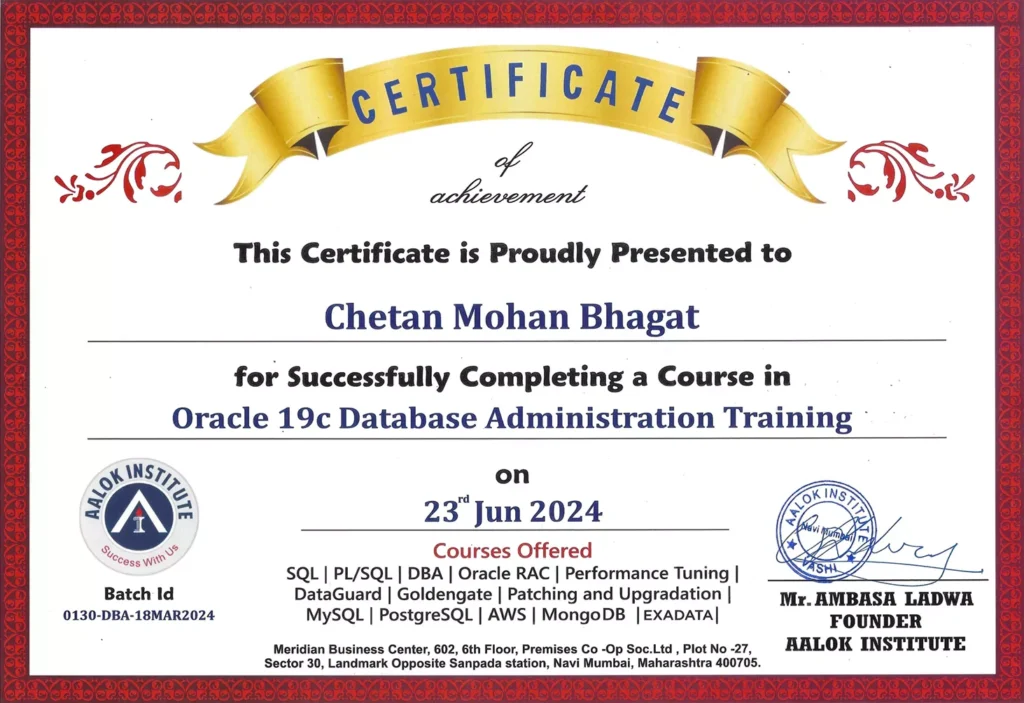
Oracle Database 19c/26ai Data Guard Administration Training
Benefits Obtained :
- Live Online & Offline Classes
- PDF Study Materials & Notes Provided
- Real-Time Hands-On Practice
- Course Completion Certification
Why Join Aalok Institute for Data Guard Training?
- Industry-Experienced Trainers
- Real-Time High Availability Architecture Scenarios
- Hands-on Practical Sessions
- Small Batch Size for Personal Attention
- Online and Classroom Training Options
- Job-Oriented Curriculum
We provide practical Oracle high availability training designed to prepare students for enterprise database environments..
Who Should Join This Courses?
This Course is ideal for:

Trusted by Professionals from Leading Companies
Students and working professionals from top organizations rely on Aalok Institute for practical DBA and cloud training.









Become an Oracle Database 19c/26ai Data Guard Administration Specialist
Learn how to design and implement enterprise-level database disaster recovery and high availability solutions using Oracle Data Guard. Gain the skills required to manage mission-critical Oracle database environments.